

The value of inventory planning tools goes beyond reducing manual work.
They support different parts of the planning process, from demand forecasting and purchase automation to inventory performance analysis, budget planning, and supplier cost visibility.
But do today’s tools cover these planning needs in practice? We put six inventory planning tools to the test, looking at how each supports the process:
- XFlow Back in Stock Alerts: Uses customer waitlist activity to identify product demand and restock priorities.
- Inventory Management - Assisty: Provides SKU and location-level forecasting with purchase order automation.
- Logistified Inventory Planning: Combines season-aware AI forecasting with event-based demand adjustments.
- Inventory Planner by Sage: Supports retail forecasting, replenishment, and open-to-buy planning.
- Retail ORBIT by Management One: Connects inventory health benchmarks with cash-flow visibility.
- Bookkeep Inventory & QBO Sync: Tracks weighted average costs, landed costs, and supplier cost differences.

So, what do these six tools bring to the table?
What Are The Best Inventory Planning Tools for Stock Demand Management?
Let’s say your Shopify store has dozens of products and different sales patterns. You probably don't want to apply the same reorder quantity to every SKU.
You need to know what to reorder, when to buy, which variants need more units, and how much stock to allocate across locations.
That's the tricky part of inventory planning.
A good inventory plan also depends on getting demand planning and inventory forecasting right. One helps you read where demand is heading, and one shows how much stock you'll need to keep up. For more on the decisions that shape this process, see our guide to inventory management strategies.
So, which inventory planning tools can actually help you make those calls? Let's look at the options.
XFlow Back in Stock & Preorder - Restock priority and demand insights
- Ratings: 5.0/5 (70 reviews)

Your sales history shows what customers have bought. But what about the products they wanted and couldn't buy?
XFlow Back in Stock & Preorder fills this gap with SKU-level waitlists and restock analytics. Once stock is back, automated alerts help turn that waiting demand into recovered sales.
So, what makes it useful for inventory planning?
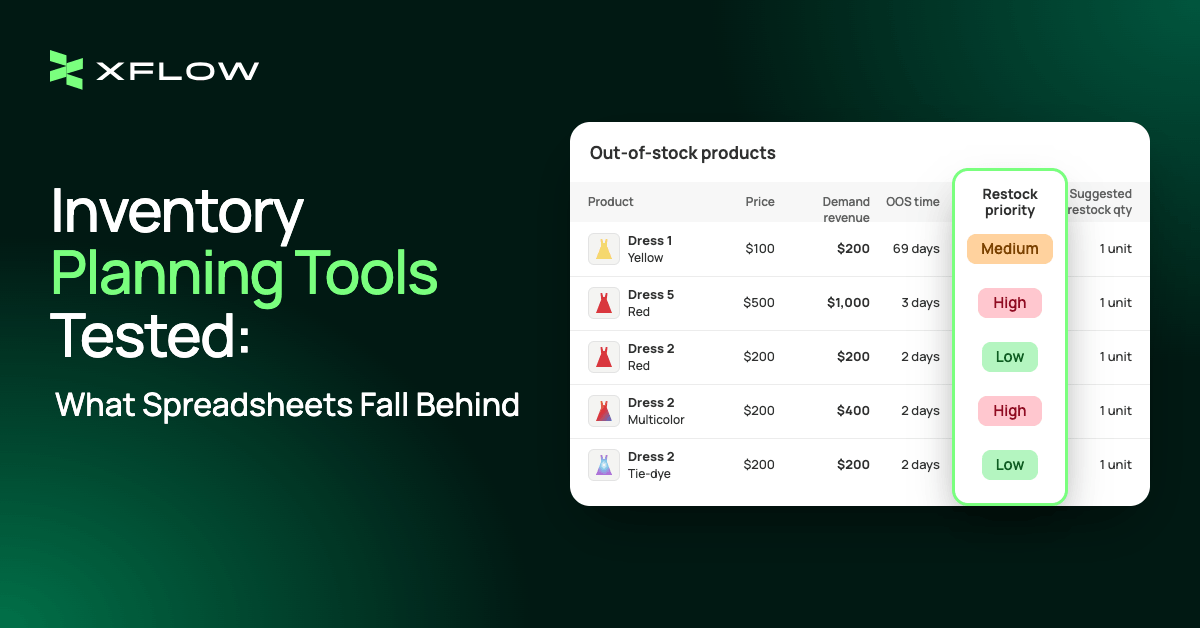
The Analytics dashboard highlights products with the most waitlist signups and longest wait times, helping you decide which SKUs and variants to prioritize in your next restock.

One thing to keep in mind: Waitlist signups don't always translate into actual orders. If 200 shoppers sign up for a product, that doesn't mean you need to reorder 200 units. Some may have found an alternative or simply changed their minds.
This is where XFlow's minimum stock threshold comes in handy. You can set how many units need to be available before restock alerts go out.
Let’s say you set the threshold at 20 units. XFlow holds off on sending restock alerts until at least 20 units are available. No pushy alerts when stock is still tight.
You can then compare the available stock with waitlist demand to decide whether 20 units will be enough or if you should plan a larger reorder. A smart move, indeed.
👀 A small planning sneak peek: Look beyond the total number of signups. Check which specific products and variants (sizes, colors, or styles) attract the most requests.
For seasonal products, keep an eye on signup growth and repeat stockouts as the peak period approaches. If demand is still building, you can adjust your next reorder before the season winds down and risk being left with unsold stock.

You can also use XFlow's Shopify waitlist guide to understand how waitlists capture interest in unavailable products.
Pricing is flexible, too. XFlow's Fee Calculator lets you enter your expected monthly revenue to estimate which plan fits your store.
If you've been running your store for a while, you can use it to see whether your current plan still makes sense as sales grow. Just getting started? It gives you an idea of what to set aside for app costs and what revenue level to aim for next, without stretching your budget.

Inventory Management - Assisty - Purchase order automation in SKU and location level
- Ratings: 4.8/5 (359 reviews)

Ever had a product sell faster than expected, only to realize your next shipment won't arrive in time?
Assisty helps Shopify merchants make those decisions with reorder recommendations and purchase order automation with pricing plans starting with $49/month.
The best part of Assisty is the ability to plan at the SKU and location level.
Imagine your size M sells out in one warehouse while the other still has plenty. That's how SKU- and location-level planning matters. You can spot exactly which variants need replenishing and where, instead of reordering blindly across the board.
These planning decisions also give purchase order automation more context. Instead of manually moving stock figures between reports, merchants can use the replenishment workflow to turn stock needs into purchase orders faster.

So, what happens after you know what needs restocking? That's where inventory planning automation can change how eCommerce merchants make purchasing decisions.
This reduces repetitive admin and makes it easier to coordinate orders around actual stock needs, particularly for retailers managing large catalogs or multiple warehouses.
👀 A small planning sneak peek: Don't set one reorder rule for your entire catalog. Start with your top-selling SKUs and compare their average daily sales, current stock, and supplier lead times.
For seasonal products, adjust these settings before demand peaks about 60 - 90 days. So, why is this timing for planning seasonal inventory?
| Reason | What it prevents |
|---|---|
| Replenishment lead time | Many suppliers, especially overseas manufacturers, need roughly 60–90 days to produce, ship, receive, and make stock sellable. |
| Forecast and reorder-point updates | Seasonal demand needs a higher forecast, larger safety stock, and adjusted reorder points. |
| Inventory positioning | A 60–90 day buffer covers production, transit, receiving, and delays. |
In short: 60–90 days is the buffer that turns a seasonal forecast into available inventory and active marketing before the peak actually happens.
Logistified Inventory Planning - Season-aware AI stock planner
- Ratings: 5.0/5 (39 reviews)

A product that barely sells in July could become a holiday bestseller in December. If your forecast only uses recent sales, you might run out during the holiday rush or have too much stock left afterward.
Logistified's season-aware AI is designed to account for these recurring demand changes. Its Enhanced plan includes advanced machine-learning season pattern recognition, with forecasting models built from the store's full order history.
So, how advanced is it as a season-aware assistant?
1. Automatic seasonality detection: Its forecasting library includes 11 demand models covering flat sales, trends, seasonal patterns, and mixed patterns.
💡 It scores the models against sales history and selects the best fit for each product variant.
2. Seasonal performance analysis: Its Seasonal Analysis dashboard compares orders and units by weekday and month, year over year.
💡 This is an shop-wide seasonal overview. For variant-level seasonality, look at the Forecast page.
3. Event-based demand adjustments: Merchants can add recurring events such as Black Friday, Christmas, Diwali, or Lunar New Year. Logistified can measure historical sales uplift and apply it to future forecasts.
💡 It can even calculate uplift by product variant, rather than assuming every item benefits equally from a promotion. This is especially important for FOMO marketing campaigns, where limited-time offers can concentrate purchases into a short window.
It's a powerful feature, but there's a catch: It's only available on the Enhanced plan ($29/month), therefore, if you’re looking for inventory management tools for small business, Logistified needs a little bit of consideration here.

You may doubt the accuracy of AI-powered inventory forecasts, but we say contextual forecasts are what you earn the most from.
Still, they don't guarantee a specific accuracy rate. I'd recommend comparing forecasted quantities with actual sales over time, especially before major seasonal peaks.
Inventory Planner by Sage - Retail stock operations
- Ratings: 4.3/5 (155 reviews)

For retailers, poor inventory planning can mean losing sales when popular variants run out or tying up cash in products that sit on shelves.
That's why Inventory Planner by Sage stands out among the top inventory planning tools for retail: Coordinate purchasing across a larger product catalog, multiple suppliers, or warehouse locations.
From our view, the distinctive part is how the plan connects buying budgets to future stock requirements. Sage let retailers:
-
Set revenue or purchasing targets: Enter monthly or weekly goals, or use Seed from Prior Year to populate targets based on last year's sales with an adjustable growth rate.
💡 They can also seed targets from the current sales forecast.
-
Set how much stock they want to carry: Enter a forward stock-cover target, such as three months of inventory. Sage then works backward to calculate how much stock needs to arrive in the preceding month.
-
Account for money already committed: Existing purchase orders and incoming stock receipts feed into the plan.
💡 Retailers can also factor in expected markdowns, which affect the revenue they expect to generate from inventory.
-
Adjust the buying budget: Convert recommendations between retail value, cost, and units using margins, average selling prices, or average costs.
💡 When creating a purchase order, they can use the Scale to Budget action to adjust its subtotal to fit the available purchasing budget.
For retailers planning seasonal collections or buying across several product categories, this creates a clearer link between sales goals, stock requirements, and purchasing spend.
And the budget for this inventory planning tool? We say it is a custom pricing plan. You request for a demo and get your estimated plan back since Sage offers an operational level of inventory planning.

Retail ORBIT by Management One - Inventory insights by category
- Ratings: 4.8/5 (19 reviews)

While Sage focuses on inventory planning through purchasing budgets and open-to-buy management, Retail ORBIT by Management One takes a category-level approach.
Same retailer targets, but different routes.
Its standout feature is the Retail ORBIT Health Score, which evaluates five areas: Sales growth, markdowns, annual inventory turn, inventory freshness, and gross margin.

The score is benchmarked against similar retailers, giving merchants a reference point beyond their own Shopify sales figures.
Beyond the overall score, Retail ORBIT breaks these performance indicators down by product category. Its category-level analysis also shows weeks of supply and highlights where inventory performance needs attention.
Another interesting feature is Virtual Cash Margin. From our view, it turns sales revenue, inventory purchases, and operating expenses into a visual breakdown of the store's cash position.
So basically, this virtual feature turns complex financial data into a clearer, more structured view.

Essentially, Retail ORBIT connects buying budgets with inventory performance and financial health, giving merchants a clearer basis for the next buying strategy.
And this app brings these inventory insights together in one free inventory management tool for independent retailers.
Bookkeep Inventory & QBO Sync - COGS visibility and cost control
- Ratings: 4.8/5 (63 reviews)

A reorder might look profitable on paper, but what happens when shipping fees, import duties, or supplier price changes push up the actual cost? Inventory planning tools should help retailers understand these costs.
Bookkeep Inventory & QBO Sync helps Shopify merchants track the true cost of received stock.
Let’s say you calculate product costs using the latest invoice, you could easily misjudge your actual margins. Its Weighted Average Cost (WAC) now tracks costs at the product variant level, blending what you've paid across inventory receipts instead of relying on a single purchase price.

Better yet, it factors in freight, import duties, and discounts, distributing these landed costs across purchase order items by quantity or value.
Imagine a clothing store buys 50 jackets at $20 each, then orders another 100 units at $24. Bookkeep uses the quantities and costs from both receipts to calculate a weighted average, then factors in allocated shipping and other fees.
This gives merchants a more realistic cost per variant for inventory valuation and cost of goods sold (COGS) tracking.
Other inventory planning tools focused on predicting future demand. Bookkeep follows the route of making purchasing costs visible and traceable.
And its pricing plan starts at $19/month, with a free trial available.
If you're still comparing tools for day-to-day stock tracking, our guide to Shopify inventory management apps covers options for managing stock across your store.
But if you're dealing with unpredictable demand, seasonal peaks, or complex purchasing decisions, inventory planning tools offer a more forward-looking approach.
Ultimately, even the best inventory planning tools have one limitation: Sales data tells merchants what customers have already bought, not the exact next demand. So, how can merchants spot these early signals and use them to plan inventory before demand turns into stockouts?
How Can Merchants Turn Customer Demand Signals Into Better Inventory Plans?
One common inventory planning mistake is relying on past sales to predict future demand. But what if shoppers find out their favs are out of stock?
The trick is to combine sales data with customer interest signals. So, what is called a better inventory plan through demand signals?
1. Use waitlists and back-in-stock signups to identify restock demand
Waitlist and back-in-stock signups show which products are now on top of customers’ minds. Purchase intent is available, and you can bring them back to the shopping journey once it is restocked.
For example, Jurlique lets shoppers request alerts when a sold-out product returns. Its back-in-stock emails achieved an 82% open rate and a 64% purchase conversion rate.

There are three signals they gain after the out-of-stock alerts:
- Estimate demand for new products.
- Identify products worth replenishing.
- Spot potential bestsellers.
And imagine Jurlique gained 300 subscribers through the alerts. What happens to those 300 shoppers after the product is restocked?
From our perspective, treat these signups as the beginning of a customer relationship. You can take a small step with a simple follow-up journey:
- Send a restock notification immediately: Let shoppers know when their requested product is available, ideally with a direct link to the product page.
- Follow up after purchase (3–5 days after delivery): Share product care tips, complementary product recommendations, or a small incentive for their next order.
- Build a loyalty segment (Ideally within 90 days of their first): Treat someone as a repeat/loyal customer after their second completed order to offer early access, exclusive updates, or relevant loyalty rewards.
Not every signup will become a customer, of course. And for Shopify merchants, a Shopify waitlist helps capture customer interest before inventory becomes available.
Combined with back-in-stock alerts and email automation, these signups can become more than a temporary demand signal.
2. Track product and variant-level interest
Here's where inventory planning gets a little more interesting.
Think about a clothing store selling a popular jacket in five sizes. The product dashboard shows 100 units remaining, but a closer look reveals that 70 units are in less popular sizes, while the most requested size has only two left.
The first step is to identify which sizes, colors, or product options receive the most restock requests.

If that variant generates the most sales, let’s say a M-sized black dress, then you can allocate a larger share of your next purchase order to M instead of splitting quantities evenly.
And if a variant is “repeatedly sold out” if it has gone out of stock within the last 90 days, you've got your next best-selling item.
💡 A small tip: Compare variant-level signup volume with actual sales velocity. If size M generates 80 restock requests but historically sells 40 units per month, adjust its next purchase quantity.
Spot Your Next Best-Selling Variants Earlier
Identify repeatedly sold-out products and high-interest variants through XFlow Restock Analytics, which reflects the actual customer interest.
Try XFlow3. Combine customer interest with historical sales before increasing purchase quantities
Now, here's a question worth asking: How are you guys handling inventory reorders?
The replies mostly landed on one formula: Sales speed, supplier lead time, and a safety buffer.
From our testing, before increasing purchase quantities, take a look at these four reordering constraints:
- Available cash: The budget.
- Storage capacity: Storage for bulky or slow-moving products.
- Supplier minimum order quantities (MOQs): Unit requirements.
Thread & Grain ordered 1,200 embroidered tees but discovered a 2,000-unit MOQ. This can get tricky when you're managing inventory through spreadsheets and CSV files for inventory planning on Shopify.
Spreadsheets might tell you how many units to reorder, but they don't always make the full purchasing cost easy to evaluate. That's where inventory planning tools help: They bring stock requirements and purchasing estimates together.
Still, the numbers need a reality check. Make sure the order fits your cash flow, available storage, and supplier requirements.
4. Configure stock allocation priority rules
Selling across multiple warehouses, retail stores, or fulfillment locations? So, how do you classify your stock allocation?
The priority rules are simple, and they work around three main considerations:
- Order demand by location: More orders, more priority. Review historical sales and recent order volume to decide how much stock each location needs.
- Fulfillment speed and shipping costs: More spending, more privilege. Your targeted customer groups get the fastest delivery times and lowest shipping expenses.
- Minimum stock thresholds: Set a minimum quantity for each location based on average daily sales × supplier lead time.
If neither replenishment nor stock transfers can cover the demand, back-in-stock notifications are a simple but reliable fallback. It may be a familiar tactic, but it gives shoppers a way to register their interest and return when the product is available again.
In fact, 6.46% of back-in-stock notification emails convert into purchases, according to Omnisend’s analysis of eCommerce email performance.
Pre-order is another approach, but only when you guarantee delivery.
So, how do businesses plan stock for products that sell only during certain seasons?
Everyone tells you to stock up before seasonal demand peaks. What happens if the stock doesn't sell? Then, setting your markdown timeline is a smart move now.
- 4–6 weeks before the season ends: Review sell-through.
- 2–3 weeks before the season ends: Increase markdowns.
- Final 1–2 weeks: Clear remaining stock.
💡 What should beginners prepare before the season starts?
- Set a sell-through target: Estimate how many units you expect to sell at full price and by what date.
- Calculate your markdown budget: Know your product cost, selling price, and lowest acceptable price.
- Set review dates: Schedule weekly inventory checks during the selling season.
- Prepare a clearance channel: Decide where you'll promote leftover stock, such as email campaigns, product bundles, collection pages, or dedicated clearance sections.
Think of markdown planning as a backup plan, not just a clearance tactic. When demand starts dropping, you don't want to waste time figuring out how to move the remaining stock.
And this is also how you should estimate stock requirements for Black Friday and Cyber Monday.
For more ideas on using email to support your store's marketing and sales efforts, explore XFlow's blog for practical ecommerce email strategies and tips.
FAQs About Inventory Planning Tools
1. Should inventory planning account for returned and damaged products?
Yes. Merchants should separate sellable returns from damaged or unsellable items before calculating reorder quantities. Tracking these quantities separately helps prevent inaccurate demand forecasts and unnecessary reorders.
2. How do pending purchase orders affect inventory planning?
They represent inventory you've ordered but haven't received yet. Include them in your inventory forecast to avoid ordering the same products twice.
However, check the expected delivery date and supplier reliability. A delayed purchase order shouldn't be treated as immediately available inventory.
3. Should a business split a purchase order because of limited storage?
Yes. However, plan the later delivery and the sell-through rate before the season ends. If your next batch lands before your warehouse clears its inventory in time, there’s no chance for delay.
4. How can retailers avoid overordering when suppliers offer bulk discounts?
Compare the bulk discount with the total cost of holding excess inventory is the first step.
Before accepting a bulk offer, estimate your expected sell-through, storage costs, and available cash. Sometimes paying a slightly higher unit price for a smaller order is the better business decision, let’s say, a sudden sales spike.
