

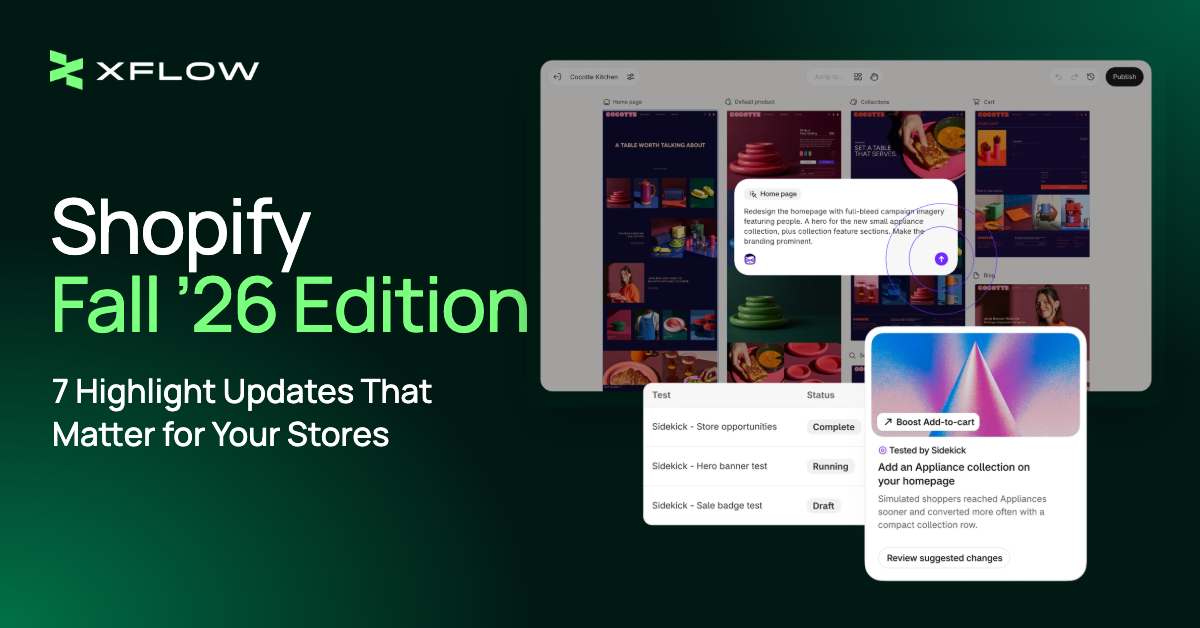
The Shopify Fall Edition 2026, themed “Exponential,” brings another wave of innovation, with over 150 updates across 11 categories. But with so many announcements, which updates actually matter to your store?
In this article, We've narrowed them down to 7 key updates every merchant should know, along with important changes to inventory management and back-in-stock alerts which also impact on upcoming BFCM.
Let's start with the updates that could make the biggest difference to your business.
What Is Shopify Editions? Shopify Fall Edition and Shift to Non-Linear Growth
Shopify Editions is primarily a twice-yearly product release event, where the company announces major product updates and roadmap developments across its commerce ecosystem.
Shopify Editions 2026 featured two releases:
- Spring ’26 focused largely on helping merchants “sell, shop, and build everywhere.” Shopify expanded its commerce infrastructure across AI channels, apps, developers, physical retail, Shop, and new selling surfaces.
- Fall ’26 takes the next step. Shopify calls the Edition “Exponential”, centered on non-linear growth: growing revenue and reach without increasing channel complexity, manual work, and operational overhead at the same rate.

In practice, that means:
- More reach without proportionally more channels to manage: Agentic Commerce distributes products across AI-powered shopping surfaces without requiring a separate storefront for each one.
- More output without proportionally more manual work: Sidekick, AI, and automation help the same team analyze, decide, and execute at greater scale.
- More scale without proportionally more operational overhead: Shopify handles more of the shared infrastructure across catalog, payments, analytics, fulfillment, and risk management.
The shift from Spring to Fall is therefore clear: Spring expanded where Shopify commerce could happen. Fall focuses more on connecting the data, decisions, merchandising, and operations behind those surfaces.
Highlight Updates From Shopify Fall Edition 2026 That Matter for Your Store
1. AI Commerce: Sell Products Before the Shopper Ever Visits Your Store
What it is — and what changed
Spring edition already introduced the core agentic-commerce model: Shopify products could be discovered and purchased through AI-powered experiences rather than only through the merchant’s storefront.
Shopify Fall edition expands that model across more surfaces and adds more commercial context around it.
Products can now be surfaced through a wider set of AI experiences, including Google AI Mode, Gemini, ChatGPT, Claude, Grok, Muse, Copilot, and other agentic interfaces, with Shopify handling more of the commerce flow behind the scenes.
Fall ’26 also adds two practical merchant controls:
- Shopify Catalog eligibility: merchants can see whether their store qualifies for Shopify Catalog and what needs to change if it does not.
- Compare-at pricing in Catalog: Shopify can pass compare-at prices to AI shopping agents automatically, so markdowns can be recognized without separate setup for each AI channel.
The change from Spring to Fall is therefore not “AI commerce starts now.” It is that AI commerce becomes broader, richer, and easier for merchants to manage as a real selling surface.
Why it matters for merchants
The storefront is no longer guaranteed to be the first place a customer evaluates your product. An AI agent may filter, compare, and narrow down options before the shopper ever sees your PDP.
That makes Catalog participation and product data part of acquisition.
If a store is not eligible for Shopify Catalog, its products may miss part of the AI-driven discovery layer Shopify is building. Eligibility therefore becomes a distribution issue, not just a technical requirement.

Image source: Shopify Fall 2026 Edition
Once products are in Catalog, the quality of the information passed to agents affects how they are understood and compared.
On a traditional product page, merchants can rely on design, imagery, reviews, comparison tables, and branded storytelling. An AI agent relies more heavily on structured product and business information.
Incomplete or unclear data can cause a product to be:
- matched to the wrong shopper intent
- misunderstood on key attributes
- compared inaccurately with alternatives
- missed when a shopper asks for a specific feature or requirement;
- less likely to be recommended.
Compare-at pricing adds another layer to that comparison. If an AI agent can see that a product has moved from $120 to $90, the markdown becomes part of the offer it can surface when evaluating alternatives.
A simple example: a home-goods merchant keeps manufacturer list prices in the compare-at field across roughly 1,000 SKUs, even though many items have never actually sold at that price. Once those values are exposed to AI shopping agents, the products may be presented as being around 15–20% off.
That makes pricing data commercially important outside the storefront as well. An outdated compare-at price can misrepresent the offer across AI-powered shopping surfaces.
The broader implication is that catalog quality now influences both visibility and competitiveness: first, whether products can participate in AI discovery; second, how clearly those products and offers can be understood once they are there.
What merchants should do
Start with Shopify Catalog eligibility. Shopify now shows whether your store qualifies for Catalog and what needs to change if it does not. Fix those issues first, because Catalog is the layer Shopify uses to surface products across AI-powered shopping experiences.
Once your store is eligible, focus on how your products are represented there.
Prioritize your top sellers, high-margin products, and campaign-priority items, then review the information AI agents are likely to rely on:
- clear product titles and attributes;
- consistent variant naming;
- accurate pricing;
- current shipping and return information.
Pay particular attention to compare-at prices. Shopify Fall edition allows Shopify Catalog to pass compare-at pricing to AI shopping agents automatically, so markdowns can be recognized without separate setup for each channel.
That makes pricing accuracy more important. An outdated compare-at price can misrepresent the offer wherever Catalog data is used.
In the longer term, treat Catalog readiness as part of regular merchandising operations. Assign ownership for product-data quality, review key products before major campaigns, and keep the information used across storefront, Shop, Google, and AI channels consistent.
2. Sidekick: Analyze Store Data, Recommend Actions & Execute Tasks With AI
What it is
Shopify data shows that “Daily Sidekick sessions have grown 4.2x year over year”. Sidekick is becoming a more active part of how merchants run their store. Instead of only answering questions, Sidekick can now help merchants:
- Analyze store data: surface what changed and where attention is needed.
- Recommend next steps: turn findings into suggested actions.
- Make bulk changes: update multiple products or settings at once.
- Build automations: help create workflows from plain-language instructions.
- Work with app data: use information and actions from connected third-party apps.
- Handle multi-step tasks: carry a request through several steps instead of stopping at a single answer.
The shift is simple: you can move from a business question to an action without manually working through every report, app, or setting in between.
Why it matters for merchants
This changes where day-to-day work starts.
Instead of opening several dashboards to figure out what needs attention, a merchant can start with a question such as:
- Which products need attention?
- What changed this week?
- What should I prioritize?
Sidekick can help connect that question to the relevant data and, in some cases, to the action itself.
That saves more than clicks. It reduces the amount of operational knowledge a team needs to carry just to get routine work done.
But it also makes judgment more important.
If Sidekick can apply a change across hundreds of products or build an automation from a short instruction, a weak decision can scale just as quickly as a good one.
The value is therefore not in automating everything. It is in using AI to remove repetitive work while keeping human review around decisions that affect pricing, customers, or revenue.
3. Canvas & Store Building: Changes With AI and Test Them With Simulated Shoppers
What it is — and what changed
Canvas gives merchants a new way to build and edit storefronts with Sidekick.

Image source: Shopify Fall 2026 Edition
Instead of working through theme settings section by section, merchants can view store templates together in one workspace, select what they want to change, or describe the result to Sidekick and see the edit applied in real time.
Shopify says merchants can preview the working store across different products, collections, interactions, and screen sizes before publishing.
Shopify is also connecting this workflow with SimGym, its AI-shopper testing tool. SimGym can send simulated shoppers through the store to test:
- the full shopping journey;
- whether shoppers can find a relevant product;
- whether a product page gives them enough confidence to add to cart.
Merchants then receive recommendations and playback of the simulated journeys before deciding what to change.
The workflow becomes:
Describe the change → build it with Canvas/Sidekick → test the experience with AI shoppers → review the recommendation before publishing.
Why it matters for merchants
The main benefit is not simply “AI can design a store.”
It shortens the distance between an idea and a testable storefront change.
A merchant who wants to restructure a PDP, change the information hierarchy, or try a new landing-page concept can get to a working version with less coding and less time spent navigating theme settings.
That makes experimentation cheaper. But AI-shopper results should not be treated as conversion proof. Shopify itself notes that SimGym shoppers mimic customer behavior and that results can differ from how real customers behave.
In one recent r/shopify discussion, merchants questioned whether simulated shoppers can capture human behaviors such as hesitation, distraction, delayed purchase intent, or annoyance with poorly timed pop-ups.
One merchant said SimGym preferred an older storefront even though their CRO work had already produced a measurable improvement in real conversion. Others still saw value in using AI shoppers to catch obvious friction such as broken flows or confusing variant selection.

Image source: Reddit
That points to the right role for the tool: Use AI shoppers to find problems worth investigating, not to declare a winning design.
What merchants should do?
Use Canvas to reduce the cost of building variations, and SimGym to decide which variations deserve a real test.
A practical workflow is:
1. Start with a specific problem.
For example: customers may not understand variant differences, key product information is buried, or the path to add-to-cart feels unclear.
2. Use Canvas and Sidekick to build the proposed change.
Keep the change tied to the original problem rather than asking AI for a broad redesign.
3. Run SimGym before publishing.
Review both the recommendation and the journey playback. Look for repeated friction, broken interactions, missing information, or confusing navigation.
4. Validate meaningful changes on real traffic.
If the change could materially affect conversion, use a Rollout Experiment or another real-traffic test before treating the AI result as proven. Shopify Rollout Experiments compare treatment against control using actual store visitors.
There is also a practical reason not to move the whole storefront workflow into Canvas yet. Canvas is still in early access and currently has important limitations: third-party Shopify Theme Store themes aren't supported; market-specific customization is limited; translations can't be edited directly in Canvas; app blocks and embeds can't be added or configured there; and Canvas-edited themes don't receive normal theme updates.
For now, use Canvas where it reduces design and testing friction, but check theme, app, market, and rollout dependencies before making it the default workflow for a production store.
4. Shopify Analytics: Cleaner Session Data, Report Annotations & App Events in One Place
What it is — and what changed
Shopify Fall edition makes Shopify Analytics easier to use as a real decision-making tool, not just a place to check numbers.
Session tracking is getting cleaner through better bot filtering, unified journeys, and consent-aware counting. Merchants can also add annotations directly to reports, so a spike or drop can be tied to something that actually happened in the business, such as a campaign launch, promotion, or theme change.
Reporting also gets more flexible. Metafields, metaobjects, and product attributes can now be used to group and filter data, which makes it easier to analyze the store using the way the business is actually structured.
The bigger step is App Events. Supported third-party app activity can now be brought into Shopify Analytics, so merchants can see more of what is happening across the store without jumping between as many separate dashboards.
Why it matters for merchants
1. Your historical benchmarks may shift.
Because Shopify is changing how sessions are counted, conversion rate can move even when orders and revenue do not.
Example:
- Last BFCM: 100,000 sessions → 3,000 orders → 3% conversion
- This BFCM: 80,000 cleaner sessions → 3,000 orders → 3.75% conversion
The store did not necessarily become 25% better at converting. Part of the increase may come from cleaner session measurement.
So conversion rate should now be read alongside orders, revenue, and sessions, not in isolation.
2. Reports can explain more of what happened and better reflect how your business is structured
Annotations let merchants mark events such as a campaign launch, pricing change, theme update, or major restock directly on the chart.
That makes it easier to connect a performance change with what the business actually did at the time.
Using metafields, metaobjects, and product attributes as dimensions means merchants can analyze performance by factors such as material, product type, designer, or loyalty tier without rebuilding everything outside Shopify.
3. App reporting can become less fragmented.
Today, merchants often switch between Shopify, email tools, loyalty apps, and other dashboards.
App Events lets supported third-party activity sit closer to Shopify sales data.
That makes it easier to move from: “How many actions did this app generate?” to “What happened to the business after those actions?”
This is the bigger shift: Shopify Analytics is becoming a shared measurement layer, not just another reporting dashboard.
What merchants should do
Start with the measurement change.
- Mark the date when the new session logic takes effect.
- Treat it as a new baseline.
- Compare sessions, orders, revenue, AOV, and conversion rate together.
Then add context to your reports.
Annotate major events such as:
- promotions;
- campaign launches;
- pricing changes;
- theme or checkout changes;
- major stockouts and restocks;
- tracking or app changes.
Finally, review your reporting setup:
- identify business dimensions that could be added through metafields or metaobjects;
- check which important apps can send events into Shopify Analytics;
- only track events that help answer a real business question.
Long term, keep campaign and event naming consistent and define which Shopify metrics are your source of truth.
5. Marketing: Run Campaigns Across More Channels With Autopilot and Unified Reporting
What it is — and what changed
Follow the key mesage, Fall ’26 brings Shopify’s idea of non-linear growth into marketing: reach more channels without adding the same amount of manual work or reporting complexity.
Campaign Autopilot now works across Meta, Microsoft Advertising, Snapchat, Shop, and Shopify Messaging, with X Ads coming later. Merchants set the goal, budget, and guardrails, while Shopify helps optimize across channels.

Image source: Shopify Fall 2026 Edition
Unified marketing reporting gives a clearer view of where traffic and sales actually come from.

Image source: Shopify Fall 2026 Edition
Shopify is also expanding recovery beyond email. Merchants can collect WhatsApp consent at checkout and use automated messages for browse, cart, and checkout abandonment.
New selling surfaces such as TikTok Buy Direct and ChatGPT Ads extend reach further, while Shopify Messaging adds a pre-built Black Friday campaign that can be customized and scheduled.
The shift is straightforward: more reach, less channel-by-channel management, and better visibility into what is working.
Why it matters for merchants
More channels can create more growth, but they can also create more complexity. Without a connected setup, merchants end up managing separate campaigns, dashboards, and attribution models, making it harder to answer a basic question:
Which channels are actually helping the business grow?
Unified reporting reduces that fragmentation by showing traffic and sales across channels in one view.
Campaign Autopilot then changes what the merchant needs to control. If Shopify handles more execution, the merchant needs to define the business rules behind it: CAC, ROAS, margin, budget, inventory, and customer segment.
A campaign can look strong on ROAS but still be weak for the business if it mainly sells low-margin products or pushes products with limited stock.
So the merchant’s role shifts from operating every channel manually to setting the right economics and guardrails.
What merchants should do
Before giving AI more control, define the limits it should work within:
- maximum CAC;
- minimum ROAS or contribution margin;
- budget ceiling;
- inventory limits;
- products, markets, or customer segments to include or exclude.
Then use unified reporting to compare channel performance in one place instead of relying only on each platform’s own dashboard.
For recovery, review where customers have already given consent. If WhatsApp fits your audience, start collecting consent at checkout before building automated flows around it.
For BFCM, prepare and schedule core campaigns early, then use unified reporting to decide where extra budget should go as performance comes in.
Longer term, move from asking “Which channel should get more budget?” to “How much can we afford to spend to generate this sale profitably?”
6. Payments and Fraud Are Becoming One Revenue-Optimization Problem
What it is — and what changed
Shopify highlights that Shopify Payments blocks more than 12,000 high-risk payments per minute. To to this, the Shopify Fall edition expands both sides of the payment flow.
- On the conversion side, Shopify adds more payment methods and a more compact checkout experience.
- On the risk side, Shopify Protect can block high-risk payments earlier, show why an order was flagged, use AI to help with dispute responses, attach delivery evidence, and let merchants create and backtest custom fraud rules before turning them on.
What does this mean: Payment conversion and fraud prevention are being treated as one problem: accept more good payments while blocking more bad ones.

Image source: Shopify Fall 2026 Edition
Why it matters for merchants
Fraud protection always comes with a trade-off.
- If rules are too loose, merchants lose money to fraud, chargebacks, fees, and lost inventory.
- If rules are too strict, legitimate customers can be blocked and the store loses real sales.
That is why backtesting matters. Before a fraud rule goes live, merchants can see how it would have affected historical orders and judge whether it is likely to reduce risk without blocking too many good customers.
The same logic applies to disputes. Better evidence and AI-assisted responses can reduce manual work, but more importantly, they improve the chance of recovering revenue that is already at risk.
So the goal is not simply to lower fraud.
It is to protect margin without hurting conversion.
What merchants should do
Review payments and fraud together, not as separate reports.
Track:
- payment approval rate;
- fraud rate;
- dispute rate;
- dispute win rate;
- revenue blocked;
- fraud losses.
Before enabling a new fraud rule, backtest it first and check how many legitimate orders it would have affected.
Also make sure tracking and proof-of-delivery data are complete for supported carriers, since that evidence can strengthen dispute responses later.
Longer term, judge payment performance by the balance between revenue accepted and revenue protected, not by fraud rate alone.
7. Starting a Business: Shopify Is Making It Easier to Go From Idea to Sale
Shopify Fall edition shortens several steps that used to sit between an idea and a live offer.
You can now:
- Create print-on-demand products with Sidekick: upload or generate a design, preview it on a product, and publish.
- Source products through AI agents: describe what you want to sell in ChatGPT or Claude, then import matching products through Shopify Collective.
- Create digital products from a file: give the asset to an AI agent and turn it into a product with pricing, fulfillment, and a shareable purchase link.
- Build the storefront faster: use Shopify CLI, Canvas, and AI-assisted tools to move from concept to a working store with less setup.
The common theme is speed. Shopify is reducing the distance between idea → product → storefront → sale. That changes more than launch time.
For merchants, the real benefit is a lower cost of experimentation. A new product, category, or offer can be put in front of customers with less upfront work, so merchants can get to real demand signals faster instead of making a large commitment before knowing whether the idea will sell.
It also changes where the advantage sits.
If more merchants can source products, create storefronts, and launch offers quickly, then speed of setup becomes less differentiated. The harder part moves to:
- choosing the right product;
- understanding what customers actually want;
- building a strong offer;
- pricing it well;
- finding the right audience;
- knowing when a test has enough traction to scale.
For established stores, this creates a more flexible way to expand. A merchant can test a small assortment, a digital add-on, a limited product, or a new sourcing direction before committing significant inventory, development time, or marketing budget.
The strategic takeaway is not simply “launch faster.”
It is: Test more ideas at lower cost, learn from real customer response sooner, and scale only the ones that earn it.
There is a competitive consequence too. As the barrier to launching keeps falling, more businesses can reach a credible starting point faster. That makes product judgment, customer insight, positioning, and execution after launch more important than the ability to get a store online in the first place.
Shopify Fall ’26 Updates That Affect Restock Alert and Inventory Management
1. Restock Can Trigger More Than a Back-in-Stock Alert
With Shopify Flow becoming more capable, a restock can trigger a broader sales workflow instead of only sending one back-in-stock email.
A simple flow such as inventory returns → send alert
Can expand into inventory returns → notify customers → update merchandising → segment audiences → trigger internal actions → monitor results.
Not every product should be handled the same way when it comes back in stock. A hero product with limited quantity may need a controlled release, while a slower-moving product may need broader promotion or different follow-up logic.
The practical takeaway is to build restock workflows around product priority, demand, and available supply, rather than applying one global rule to every SKU.
Turn restock demand into sales opportunities
Don't let out-of-stock products become missed sales. With XFlow, you can capture customer interest, automate restock notifications, and manage targeted email workflows for specific product variant.
Explore XFlow2. Beyond Email - Back-in-Stock Alert Is Expanding to WhatsApp
Fall ’26 lets merchants collect WhatsApp marketing consent at checkout and use WhatsApp for automated browse, cart, and checkout recovery.
The broader implication is that recovery is becoming more channel-flexible. Email can remain the core channel, but merchants may increasingly use SMS, WhatsApp, push, or a mix of channels depending on customer consent and how quickly the demand needs to be reactivated.

Image source: Shopify Fall 2026 Edition
This is especially relevant when a product may sell out again quickly, because the best recovery channel is not always the one merchants have historically used most often.
The question shifts from “Which email should we send?” to “Which consented channel gives us the best chance of reaching this customer in time?”
While WhatsApp opens another way to reach customers, email remains a valuable channel for product availability updates. For merchants looking to automate these messages, here's how to set up back-in-stock email alerts on Shopify and reconnect with shoppers when their favorite items return.
3. Out-of-Stock Products Can Lose Visibility Across AI Shopping Channels
AI shopping changes where product discovery happens. Shoppers can now ask an AI agent for a specific product, feature, size, or price range before they ever visit the storefront.
If a relevant product is out of stock, the agent may be less likely to recommend it when an available alternative can satisfy the same request.
That creates a new concern for merchants: could frequent stockouts across the catalog eventually affect how often the store itself is surfaced or trusted by AI shopping systems?
We cannot say for sure. AI recommendation logic is difficult to observe, and Shopify does not currently provide enough visibility to confirm whether store-level availability affects ranking or perceived merchant reliability.

4. Incoming Stock Changes How Aggressively You Should Activate the Waitlist
Shopify waitlist size tells you how much known demand is waiting, but it does not tell you how aggressively you should promote the product when stock returns.
Shopify Fall edition adds more visibility into purchase orders, incoming inventory, suppliers, costs, and transfers, which gives merchants better supply context when planning a restock campaign.
|
Waiting demand |
Incoming stock |
Sales implication |
|
800 customers |
100 units |
Supply is constrained, so focus on converting existing demand instead of creating more. |
|
800 customers |
800 units |
Supply roughly matches known demand, so the waitlist can absorb most of the stock. |
|
800 customers |
1,500 units |
Recover the waitlist first, then use broader promotion to absorb the remaining inventory. |
|
50 customers |
1,000 units |
The waitlist is only one part of the sales plan, so additional demand generation is needed. |
The same waitlist size can therefore lead to a very different sales strategy depending on how much inventory is actually coming back.
For multi-location stores, merchants also need to know where that inventory is returning. A product can be back in stock in one warehouse or market while still unavailable elsewhere, so inventory-transfer context should be checked before activating demand across regions.
When incoming stock is confirmed, merchants can also decide whether to keep customers on a waitlist or accept orders before inventory arrives. Understanding the difference between backorders and pre-orders can help you choose the right approach based on restock timelines and customer expectations.
Know What to Restock Next with XFlow
See which out-of-stock products shoppers want most with XFlow analytics. Prioritize restocks and notify customers when items return.
Try XFlowWhat Store Owners Should Do This Week to Prepare for BFCM
Shopify Fall edition gives merchants more tools, but BFCM is not the time to adopt everything at once. The priority is to use the updates that reduce execution risk, improve visibility, and help the team make faster decisions when traffic and order volume increase.
1. Reset Your Analytics Baseline Before Comparing BFCM Performance
Shopify has changed how sessions are measured through better bot filtering, unified journeys, and consent-aware counting. That means this year’s conversion rate may not be directly comparable with last year’s, even if sales performance is similar.
Before BFCM, record your current baseline for: Sessions → Orders → Revenue → AOV → Conversion Rate
Then annotate major events such as campaign launches, discount changes, theme updates, or tracking changes.
This gives you a cleaner reference point during the event. If conversion suddenly rises or falls, you can check whether the business actually changed or whether the movement is partly caused by measurement.
2. Check Shopify Catalog Eligibility and Audit Your Priority Products
BFCM traffic may not start on your storefront anymore. Products can be discovered and compared through Shopify-powered AI surfaces before shoppers reach the PDP.
Start with Shopify Catalog eligibility. If the store does not qualify, fix the issues Shopify identifies first.
Then review only the products that matter most for BFCM:
- hero products;
- top sellers;
- high-margin items;
- products receiving the biggest discounts.
Check that titles, variants, key attributes, pricing, shipping, and returns are accurate.
Pay special attention to compare-at prices. Fall ’26 allows Shopify Catalog to pass markdown information to AI shopping agents automatically. If the reference price is outdated or used only as an internal list price, the offer can be represented incorrectly outside the storefront.
3. Schedule Theme, Discount and Catalog Changes Together With Rollouts
BFCM often involves several changes at the same time: Theme → discounts → catalog → checkout → campaign
Publishing them manually at different times creates unnecessary risk. A discount can go live before the landing page. A campaign can start before the right catalog is visible. Someone can forget to revert a temporary change after the promotion ends.
A scheduled Rollout event lets you prepare your Black Friday theme, discounts, and sale catalog/pricing in advance, then have them all go live together at a set time. Because an event has an end time, Shopify can also automatically roll those changes back when the sale finishes.

Image source: Shopify Fall 2026 Edition
If you are unsure whether a major storefront change will help, do not make BFCM the first uncontrolled test. Use SimGym to identify possible friction, then validate meaningful changes on real traffic before scaling them.
4. Use Sidekick to Identify and Execute High-Priority BFCM Tasks
Sidekick is most useful when the team gives it a specific business question, not a vague request to “optimize the store.”
Use it to surface what needs attention before traffic peaks:
- Which products are underperforming?
- Which products have low inventory relative to recent sales?
- What changed in the last seven days?
- Which repetitive updates can be handled in bulk?
Then separate recommendations from execution.
Let Sidekick handle low-risk work such as drafts, analysis, and reversible bulk changes. Review pricing, promotions, merchandising, and customer-facing changes before applying them.
5. Set Marketing Guardrails Before Campaign Autopilot Starts Optimizing
Shopify Fall edition makes it easier to run campaigns across more channels, but more automation only works if Shopify knows what a good result looks like.
Before increasing spend, define:
- maximum CAC;
- minimum acceptable ROAS or contribution margin;
- total budget ceiling;
- priority products;
- products with limited inventory;
- new vs. returning customer targets.
This matters during BFCM because a campaign can look strong in a dashboard while still hurting the business—for example, by pushing low-margin products or sending demand toward inventory that is almost gone.
Use unified marketing reporting during the event to decide where additional budget should go, rather than making decisions from Meta, Google, email, or other dashboards separately.
If WhatsApp is relevant to your audience, start collecting consent before BFCM. The channel is only useful for recovery if the permission already exists.
6. Match BFCM Promotions With Incoming Inventory
Do not build the BFCM sales plan from current inventory alone.
Shopify Fall edition gives merchants more visibility into incoming purchase orders, supplier costs, and transfers.
For every major BFCM product, check:
Current stock + incoming quantity + arrival date + destination + latest unit cost
This can change the campaign strategy.
- If demand is high but only a small amount of inventory is arriving, there is little reason to push that product aggressively.
- If a large shipment is arriving before BFCM, the merchant has more room to promote it.
- If supplier cost increased, an old discount plan may no longer produce the margin expected when the campaign was created.
The common thread across these actions is simple: Do not use Shopify Fall edition to add more moving parts before BFCM. Use it to make the moving parts you already have easier to coordinate, measure, and control.
That is where Shopify’s idea of non-linear growth becomes practical during peak season: more reach and execution, without adding the same amount of manual work and operational complexity.
These updates are worth reviewing alongside your broader holiday marketing plan. For a more practical approach, explore our BFCM strategies for aligning different marketing channels with each stage of the customer buying journey.
FAQs About Shopify Editions Fall ’26
Which Fall ’26 updates are still coming soon?
Availability varies by feature, plan, market, and rollout stage. Some Fall ’26 announcements are already available, while others are marked as coming soon, early access, or limited to specific merchants.
Check the individual feature documentation in Shopify Editions before planning a workflow around a newly announced capability.
Will AI commerce make the storefront less important?
It reduces the storefront's monopoly over discovery and transaction, not its value.
AI agents can increasingly help shoppers discover, compare, and purchase products without beginning on a merchant website. The storefront remains important for brand experience, trust, deeper merchandising, content, and direct customer relationship
The change is that it is no longer safe to assume every shopper will see the storefront before making a buying decision.
Does more Shopify AI mean merchants will need fewer apps?
Not necessarily. AI can reduce the need for standalone tools whose main value is repetitive execution or interface convenience. Specialized apps remain valuable when they provide unique data, domain-specific workflows, or capabilities Shopify does not provide natively.
The stronger question for merchants is:
Does this app provide unique business value, or is it mainly another interface for something Shopify already handles
Does easier store creation make ecommerce more competitive?
Yes. When AI reduces the cost and skill required to launch a competent storefront, more businesses can reach a reasonable baseline faster.
That makes execution speed less defensible on its own. Product quality, positioning, customer insight, demand, retention, merchandising, operational efficiency, and brand become more important sources of differentiation.
What becomes more important as Shopify expands into more AI surfaces?
Four things stand out:
- Product data quality — agents need accurate structured information.
- Availability — unavailable products can lose the recommendation before shoppers reach the store.
- Business knowledge — shipping, returns, pricing, and policies need to be machine-readable and consistent.
- Measurement — merchants need to understand how multiple channels and touchpoints contribute to the final sale.
Those capabilities will matter increasingly whether the customer starts on your storefront, Shop, Google, or an AI agent.
