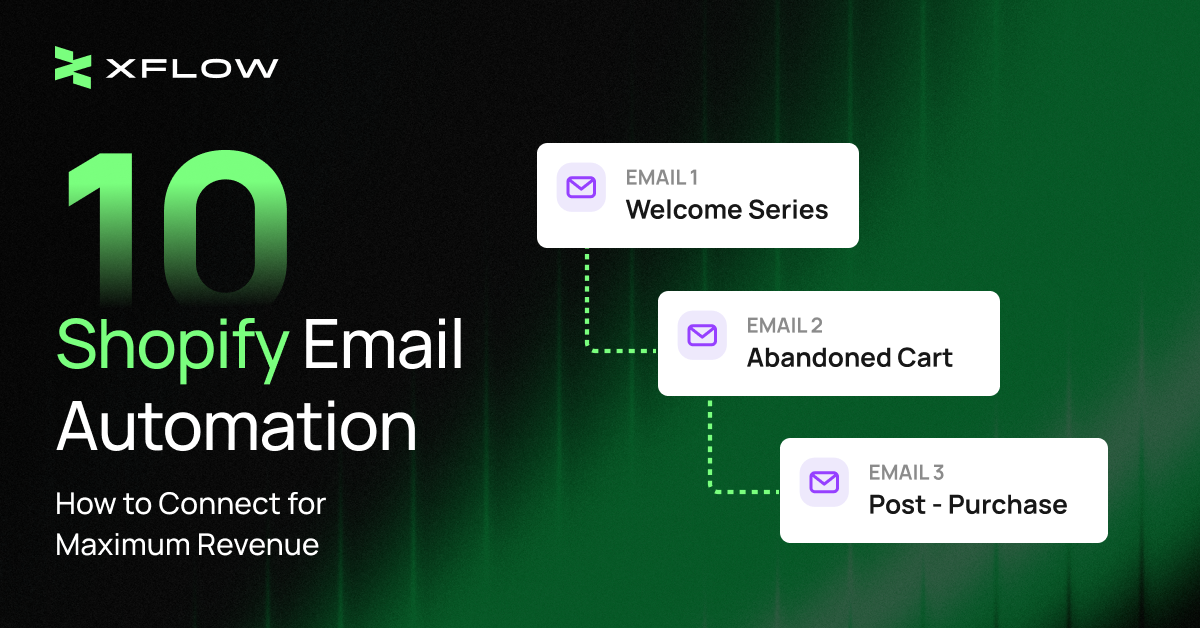
Today, most Shopify stores still rely on a single welcome email and hope customers come back on their own. The reality? Customers rarely convert on the first touch. They need multiple relevant touchpoints at the right moment
- A welcome email flow when they subscribe
- A reminder flow when they abandon the cart
- A cross-sell flow after they purchase.
Shopify email automation makes this possible by using triggers, conditions, and actions to deliver the right message to the right person automatically - even while you sleep.
Each strategy gets its own dedicated flow. And those flows connect together, guiding customers from first subscriber to repeat buyer without manual work. Read on to discover every piece of the automation puzzle.
Automate Your Back-in-Stock Alerts with XFlow
Turn waitlist signups into sales. XFlow sends instant notifications when products restock, so you never miss a high-intent buyer again.
Try XFlow FreeWhat Is Shopify Email Automation and Why Do You Need It?
Unlike regular email marketing that broadcasts campaigns to everyone on a schedule, Shopify email automation sends triggered emails based on customer actions, without manual work. Because behavior differs by email type, each one is best supported by its own flow: abandoned cart flow for recovery, welcome flow for onboarding, win-back flow for re-engagement.
This works fine manually when you're handling 10-20 customers a day. But once your store hits 50+ cart abandonments and 100+ browsers daily, that same manual approach breaks down - you're stuck spending 2-3 hours just on cart recovery emails, or letting that revenue slip away. Setting up automation once solves this permanently: it keeps running without adding to your workload.
That's the core value. Beyond that, here's how it also plays out in practice:
- Captures customers at peak intent, with messaging that fits the moment. An abandoned cart triggers a recovery email within an hour. A product browse triggers a recommendation within 24 hours. Every message goes out while the customer's interest is still fresh - not whenever you get around to it.
- Replaces manual follow-up without losing the personal touch. The system tracks who bought, who abandoned, and who needs a nudge - then sends the right message automatically, 24/7. You're not choosing between "personal" and "scalable" anymore.
- Scales with your store, not your headcount. You can't manually email 500 abandoned carts a day. Automation doesn't care if it's one customer or one hundred - each gets the same timely, consistent treatment.
-
Puts your customer data to work. Purchase history and behavior patterns feed directly into timely re-order reminders and tailored recommendations - insights you'd otherwise have to dig up and act on manually.
Which Shopify Email Automation Should You Prioritize for Revenue Growth?
1. Welcome Emails
A welcome automation flow turns curious signups into paying customers through a strategic sequence over several days. Automation ensures each message arrives at the perfect moment and stops when someone purchases. You can't manually time 3 emails for hundreds of subscribers while tracking who bought.
Welcome emails have the highest open rates because subscribers are actively interested. Most welcome series run over 5 days with three emails spaced strategically to keep momentum going:
- Email 1 (immediate): Brand story + discount code to sweeten the deal
- Email 2 (day 2): Bestsellers or customer favorites - social proof that other people love what you sell
- Email 3 (day 5): Testimonials and urgency, reminding them the discount expires soon

To make this work, you'll need an app that captures subscribers, delay timers to space out emails, and conditional logic to exit people who purchase. Dynamic discount code generation lets you track which email drove the conversion.
Build Your Welcome Series with XFlow
Capture new subscribers through "Notify Me" buttons, then send them a perfectly timed welcome flow automatically with XFlow - no manual follow-up needed.
Try XFlow Free2. Abandoned Cart Emails
An abandoned cart flow catches customers who leave without buying and brings them back with perfectly timed reminders. Without automation, tracking every abandoned cart and following up is impossible at scale.
70% of shopping carts are abandoned online. A timely reminder converts at 30%+ rates. The first email should go out within 1 hour while they're still thinking about the purchase.
A typical abandoned cart sequence runs three emails with escalating urgency:
- Email 1 (1 hour): "You left something behind" + exact cart contents with product images
- Email 2 (48 hours): Social proof + inventory urgency ("Only 2 left in stock!")
- Email 3 (72 hours): Discount incentive, like 5–10% off, to close the deal

Real-time cart tracking is essential, along with automatic product image and name insertion. Access to inventory data powers urgency messaging, while discount code generation and exit logic ensure you don't oversend once someone purchases.
3. Win-Back Emails
Win-back emails re-engage customers who haven't purchased in a while. These emails are your chance to remind loyal customers why they loved you and bring them back into the buying cycle.
The timing depends on your product lifecycle.
- A coffee subscription might need win-back emails every 30 days.
- A furniture store might wait 90 days. The right window is whenever you define a customer as "sleeping."
- A timely re-engagement message can reactivate these accounts before they drift too far.
Most win-back sequences run 2–3 emails with escalating incentives:
- Email 1 (Day 0): "We miss you!" + personalized product recommendations based on past purchases
- Email 2 (Day 7): Exclusive discount 15–20% off
- Email 3 (Day 14): Final call - your best offer + "We'd hate to see you go" survey link

You'll need purchase date tracking, conditional delays between emails, and exclusion list management. Past purchase history integration enables personalized recommendations that actually resonate.
4. Back-in-Stock Email
Back-in-stock emails notify customers when a previously out-of-stock product is available again. They work especially well for physical product stores with inventory fluctuations.
The flow is simple: product restocks → email sent immediately to everyone who requested a notification. These emails convert well because customers have already expressed interest by signing up for the alert.
Watch your conversion rate. If customers don't buy after the first alert, you can send a second email 3 days later with:
- A 10-15% discount with social proof ("127 bought since restock")
- Real stock count ("Only 8 left") and bundle suggestions

You'll need real-time inventory tracking, a "Notify me" button on product pages, and the ability to trigger follow-ups based on purchase behavior.
Build Back-in-Stock Workflows with XFlow
Set your restock triggers, delays, and messaging upfront. XFlow executes the entire flow every time inventory returns—turning waitlist demand into revenue.
Start for FREE5. Email Nurture Series
Email nurture sequences guide prospects through a structured journey - from awareness of their problem to considering your solution. The flow reads engagement data and sends personalized messaging automatically, warming up subscribers until they're ready to convert.
A typical nurture sequence runs 3 - 5 emails structured to guide thinking:
- Email 1 (Day 0): Acknowledge pain point + provide quick win or insight
- Email 2 (Day 3): Introduce your solution + social proof
- Email 3 (Day 7): Educational content or how-to guide + offer/trial

Advanced segmentation tailors content to subscriber types. Engagement tracking reveals who's warming up, and A/B testing optimizes each message.
6. Post-Purchase Emails
Post-purchase emails run immediately after someone buys. These are transactional and relationship-building rolled into one. They're some of the most important messages you'll send because the customer is actively invested in what they just purchased - making them some of the highest-engagement emails you'll ever send.
Post-purchase emails serve multiple purposes at once.
- Reduce buyer's remorse with confirmation and tracking so customers know their order is safe.
- Add value through tips, guides, and how-to content that helps customers get the most from their purchase.
- Generate social proof through review requests that turn customers into advocates.
- Set expectations for shipping and delivery, reducing support inquiries.
A complete post-purchase flow spans 7 days with 3 strategic touches:
- Email 1 (immediate): Order confirmation with details
- Email 2 (when shipped): Tracking information and shipping updates
- Email 3 (day 7): How-to guide or tips for using the product

Order data access and shipping integration with tracking numbers form the foundation. Review platform integration (Yotpo, Judge.me) collects social proof. Auto-generated product tips add personalization.
7. Customer Feedback Emails
A feedback automation flow automatically sends gentle reminders to non-responders while instantly thanking those who do respond - all without manual work. You can't track who reviewed and who didn't manually. Automation handles the follow-ups and rewards for you.
Send the first request 7–14 days after delivery. 92% of consumers read reviews before buying, so building this library matters. Here's the sequence:
- Initial request - Thank them and ask for a quick review. One-click rating or short survey link. "How's your [Product Name]? Leave a review, get 10% off next order". Exit condition - Remove them immediately once they submit feedback. No redundant reminders.
- Reminder (3 - 4 days later) - Gentle nudge only to non-responders. "Still wondering what you think."
- Thank you and reward: Deliver the discount code or loyalty points instantly after they review.

You'll need delivery tracking, review platform integration, and automatic discount generation.
8. Browse Abandonment Emails
Browse abandonment automation targets customers who viewed products but never added to cart. These prospects need education and social proof. Manual follow-up is unrealistic when dozens browse daily without buying signals.
Send the first email 24 hours after they view products without adding to cart. Browse abandoners are earlier in the journey - they need education, not just discounts.
Your messaging strategy focuses on removing friction:
- Email 1: "Still thinking about it?" + product image, description, and customer reviews
- Email 2 (48 hours): Suggest similar products or bestsellers to expand options

Product page view tracking is the foundation. Dynamic product insertion and review data integration personalize messaging.
9. Cross-Sell or Upsell Email
After someone buys, you have a perfect opportunity to suggest complementary products or premium upgrades. This is where Shopify email marketing automation shines - recommending the next product at the moment when customers are most receptive
Your messaging stays natural and value-focused:
- Email 1 (X days post-delivery): Cross-sell or upsell recommendation + small incentive
- Email 2 (+7 days): Social proof (reviews, testimonials, usage stats) for the same product
- Email 3 (+7 days): Urgency (limited stock/time) + FAQ/objection handling for the same product

You'll need purchase history tracking, a product recommendation engine, and conditional logic to personalize by category. Automatic exit to loyalty flow if they purchase again prevents redundant emails.
10. Promotion / Sale Notifications
Promotion automation sends multi-touch campaigns during sales with perfectly timed urgency escalation. Automation handles announcement, reminder, and last-call emails while excluding recent buyers automatically.
- Email 1: Announcement of the sale
- Email 2 (midpoint): Reminder that time is running out
- Email 3 (last day): Maximum urgency

Here's the critical rule: Segment your list. Don't send sale emails to customers who just bought (they'll feel frustrated). Don't over-email disengaged subscribers. Focus on active, engaged customers who are likely to convert.
Segmentation logic by purchase recency and engagement keeps campaigns targeted. Countdown timers show urgency visually. Exclusion logic protects customer experience.
What Are 3 Shopify Email Flow Combinations We Recommend to Maximize Revenue?
The real magic happens when you connect flows together. Each one hands off to the next based on what the customer does. This is where Shopify email automation transforms from a series of individual campaigns into a complete revenue system.
Scenario 1: New Subscriber to First Purchase
You capture a new email subscriber through a popup or signup form, but they haven't bought anything yet. Your goal is to convert these cold subscribers into first-time buyers automatically.
You're targeting new subscribers who haven't purchased yet. Just make sure to exclude anyone who's already bought in the last 7 days.
Without connected flows, most subscribers drift away after the first email. But when you connect Welcome Series → Abandoned Cart → Post-Purchase, something magical happens. Cold subscribers automatically become customers, with zero manual work.
Days 0-5: Welcome Series
- Day 0: Brand story + discount code
- Day 2: Bestsellers with social proof
- Day 5: Testimonials + urgency (discount expiring)
If they add to cart but don't buy → Abandoned Cart Flow takes over:
- 1 hour: "You left something behind" + cart contents
- 24 hours: Social proof + inventory urgency
- 48 hours: Larger discount to close
When they purchase → Post-Purchase Flow starts:
- Immediate: Order confirmation
- When shipped: Tracking information
- Day 7: How-to guide
- Day 14: Review request
The welcome series stops automatically once they add to cart - no duplicate messaging. Each flow hands off based on behavior, guiding cold subscribers → engaged prospects → paying customers with zero manual work.

Scenario 2: First Purchase to Repeat Customer
A customer completes their first purchase. Most stores stop here and wonder why customers don't return.
You're working with customers who completed exactly one purchase and received their order (typically 7–10 days after delivery). Skip anyone who's already made a second purchase or is in an active Abandoned Cart flow.
The mission is simple: turn one-time buyers into repeat customers by connecting education with timely product recommendations.
Days 0-14: Post-Purchase Flow
- Immediate: Order confirmation
- When shipped: Tracking information
- Day 7: How-to guide
- Day 14: Review request
7-10 days after delivery → Cross-Sell/Upsell activates:
- "You bought [Product A] - customers also love [Product B]"
- Or: "Upgrade to premium and save 15%"
The timing matters. You're not pitching the next product immediately after checkout - that feels aggressive. Instead, you wait until they've received and used the first purchase. The recommendation feels helpful, not pushy. This naturally converts satisfied customers into repeat buyers.

Scenario 3: Inventory-Driven Purchase Journey
Here's a scenario many stores miss: A customer finds a product they want, but it's out of stock. You lose this high-intent buyer forever—unless you're ready.
You're capturing customers who sign up for restock alerts. They've already expressed strong purchase intent before the flow even begins. Just exclude anyone who's already bought the product once it restocks.
When you connect Back-in-Stock → Abandoned Cart → Post-Purchase, you capture these eager buyers automatically.
- "Good news! [Product Name] is back in stock"
- Optional: Real stock count for urgency
If they add to cart but don't buy → Abandoned Cart Flow kicks in:
- 1 hour: "You left something behind" + cart contents
- 24 hours: Social proof + inventory urgency
- 48 hours: Discount to close (optional, based on conversion rate)
When they purchase → Post-Purchase Flow starts:
- Immediate: Order confirmation
- When shipped: Tracking information
- Day 7: How-to guide
- Day 14: Review request
You're capturing customers who already expressed strong intent by signing up for restock alerts. Each touchpoint is triggered by real behavior - restocking, cart abandonment, purchase - so every email feels timely and relevant, not random.

Recover Lost Sales with XFlow's Back-in-Stock Automation
Notify waitlist customers the moment products restock. XFlow sends timed alerts with urgency messaging to automatically convert high-intent shoppers.
Get XFlow NowWhat Scope High-Performing Shopify Email Automation Truly Focuses on (and What Tactics You Can Take)
Getting email automation right means juggling three competing goals at once: keeping customers happy (relevance without overwhelm), protecting your technical reputation (deliverability scores that keep you out of spam), and hitting revenue targets (emails that actually convert).
The tension is real. Sending more frequently can increase revenue but risk higher unsubscribe rates. Aggressive personalization improves conversions but requires clean data. The practices below help you make those trade-offs intentionally instead of guessing.
Workflow and Strategy
Map the customer journey before you build
Draw your complete email automation sequence and branch paths before touching any software. Sketch out what happens when someone abandons the cart, when they purchase, and when they don't open emails. This planning prevents gaps and overlapping messages that confuse customers.
Set clear exit conditions
Remove customers from automation sequences immediately when they:
- Complete a purchase (exit abandoned cart flow)
- Submit feedback (exit review request flow)
- Click unsubscribe or mark as spam
- Show clear disinterest (no opens after 3+ emails)
Exit conditions prevent annoying customers with irrelevant emails and protect your sender reputation.
Add delays and follow-up logic
Not every automated email should fire instantly. Strategic delays make Shopify email automation feel human and contextual, not robotic.
Proven timing windows by email type:
- Welcome emails → Immediate or 5-10 minutes (capitalize on fresh interest)
- Abandoned cart reminders → 1 hour (first reminder), 24 hours (second), 48 hours (final with discount)
- Browse abandonment → 24 hours (they need time to think)
- Post-purchase confirmation → Immediate
- Post-purchase how-to guide → 7 days after delivery (they've used the product)
- Review requests → 7-14 days after delivery, not after purchase date
- Cross-sell/upsell → 7-10 days after delivery (after they're satisfied with first purchase)
- Win-back emails → 30-90 days of inactivity depending on purchase cycle
- Back-in-stock → Immediate when product restocks; add follow-up after 24h hours and 3days if customers do not purchase

Image source: XFlow demo
Create Your Back-in-Stock Workflow Today
No coding needed. XFlow's drag-and-drop builder lets you build restock automation in minutes and start recovering lost sales immediately.
Get Started FreeTest and activate the workflow properly
Before activating any Shopify email automation flow, run thorough QA tests to catch errors that damage credibility and conversions.
Pre-launch testing checklist:
- Send test emails to yourself and team members – Check how emails render across devices and email clients (Gmail, Outlook, Apple Mail, mobile apps)
- Verify mobile formatting – Over 60% of emails are opened on mobile. Check button sizes, image scaling, and text readability on small screens
- Test all links – Click every CTA, product link, and footer link. Broken links kill conversions and look unprofessional
- Confirm personalization fields populate correctly – Check {{first_name}}, {{product_name}}, {{discount_code}} all pull real data. Empty merge fields look broken: "Hi {{first_name}}" instead of "Hi Sarah"
- Validate timing logic – Trigger test flows at different times and verify that delays fire correctly. A 1-hour abandoned cart email that arrives in 10 minutes confuses customers
- Check exit conditions work – Trigger a test purchase and confirm the flow stops sending follow-up emails
- Verify discount codes generate and apply correctly – Nothing frustrates customers more than broken promo codes
Content and Design
Every email needs one clear action
|
Email Type |
Primary CTA |
|
Abandoned Cart |
"Complete Your Order" |
|
Welcome Series |
"Shop Best Sellers" or "Use Your Discount" |
|
Cross-Sell |
"Add to Order" or "Shop [Category]" |
|
Review Request |
"Leave a Review" |
Don't ask customers to do 3 things. Pick one action and make it obvious.
Optimize for mobile first
Over 60% of emails are opened on mobile devices. Your Shopify email marketing automation must:
- Use single-column layouts
- Keep subject lines under 40 characters
- Make buttons finger-friendly (minimum 44x44 pixels)
- Load images quickly or work without them

Image source: XFlow demo
Personalize with customer data
Dynamic content makes automation feel human:
- Use first names in subject lines and greetings
- Show products they viewed or abandoned
- Recommend based on purchase history
- Adjust offers by customer segment (new vs. VIP)
Timing and Frequency
Respect the customer's inbox
Email fatigue is real. Send too many emails and customers tune out - or worse, hit unsubscribe. Your Shopify email automation should follow frequency guardrails that protect engagement:
- Maximum 1 promotional email per day – Sales, announcements, and newsletters count here
- Maximum 2 emails per week total – Include both promotional and automated emails in this cap
- Space automated sequences 2-3 days apart when possible – Give customers breathing room between messages
Exception: Transactional emails (order confirmations, shipping updates) can be sent immediately regardless of other emails.
Best day of the week to send emails
Omnisend analyzed approximately 26 billion emails to find patterns in email performance. At the weekly level, the biggest insight is straightforward: Tuesday leads for opens and clicks, while Friday leads for conversions.

Image source: Omnisend
These benchmarks are starting points, not rules. The only way to know what works for your customers is to A/B test send times with your actual list. Split your audience and send the same email at different times, then compare:
- Open rates within first 4 hours
- Click-through rates
- Conversion rates (revenue matters more than opens)
Technical Maintenance
Monitor these metrics weekly:
|
Metric |
Healthy Range |
Action Needed If... |
|
Bounce Rate |
< 2% |
Above 2%: Clean your list, remove invalid emails |
|
Spam Complaint Rate |
< 0.1% |
Above 0.1%: Review content, check frequency |
|
Open Rate |
15-25%+ |
Below 15%: Test subject lines, verify list quality |
|
Click Rate |
2-5%+ |
Below 2%: Improve CTAs, test content |
Your sender reputation depends on these numbers. Let them slip and your Shopify email automation lands in spam folders.
Clean your email list regularly
Remove subscribers who haven't opened an email in 90-180 days, especially important for subscription service like newsletter
- Send a final re-engagement email: "Still want to hear from us?"
- If they don't open/click, remove them
- Keep only engaged subscribers
A smaller, engaged list converts better than a large, inactive one.
Make unsubscribe easy
- Include an unsubscribe link in every email (required by law)
- Process unsubscribes immediately
- Don't hide the link in tiny text
- Consider offering a "pause emails" option instead of full unsubscribe
People who want to leave will leave. Making it difficult only increases spam complaints, which hurts deliverability for everyone else.
Use double opt-in for new subscribers
Double opt-in requires subscribers to confirm their email address before entering your Shopify email automation flows. This:
- Reduces fake/invalid email addresses
- Improves deliverability metrics
- Ensures subscribers actually want your emails
- Protects your sender reputation
The small drop in list size is worth the increase in engagement quality

Image source: Workona
Ready to Build Your Shopify Email Automation?
Shopify email automation isn't optional anymore - it's how modern ecommerce stores scale revenue without scaling manual work. Automation works because it responds to real behavior in real time.
- Welcome series converts subscribers.
- Abandoned cart recovers 30%+ of lost sales.
- Post-purchase builds loyalty.
- Cross-sells drive repeats.
- Win-back reactivates dormant customers.
For a new store, you can start with three flows: welcome series, abandoned cart, and post-purchase. These alone can increase revenue 20-30% in 90 days. Once running smoothly, add browse abandonment, cross-sells, and win-back.
Your Shopify email marketing automation should feel invisible to you and personal to customers. The system runs 24/7, sending the right message at the right time based on what they actually did.
The stores winning in 2026 aren't just collecting emails - they're building intelligent systems that turn interest into revenue automatically. If you're manually sending follow-ups or letting carts disappear, you're leaving money on the table.
Frequently Asked Questions about Shopify Email Automation
Can I automate emails without coding?
Yes. Most Shopify email apps use drag-and-drop builders and pre-built flow templates (welcome, abandoned cart, post-purchase, etc.).
Should I use all the automation flows mentioned in this guide?
Start with the essentials: welcome series, abandoned cart, and post-purchase. Make sure each flow fits your brand and product - not every flow works for every business. Prioritize based on where you're losing revenue - high cart abandonment? Start there.
What if I have a small email list?
Start anyway. Automation works at any scale. Even 100 subscribers benefit from welcome and abandoned cart flows.
Can automation hurt my sender reputation?
Only if you over-send or ignore engagement. Monitor your bounce rates, spam complaints, and unsubscribes regularly. Clean your list quarterly by removing inactive subscribers to maintain healthy deliverability.