

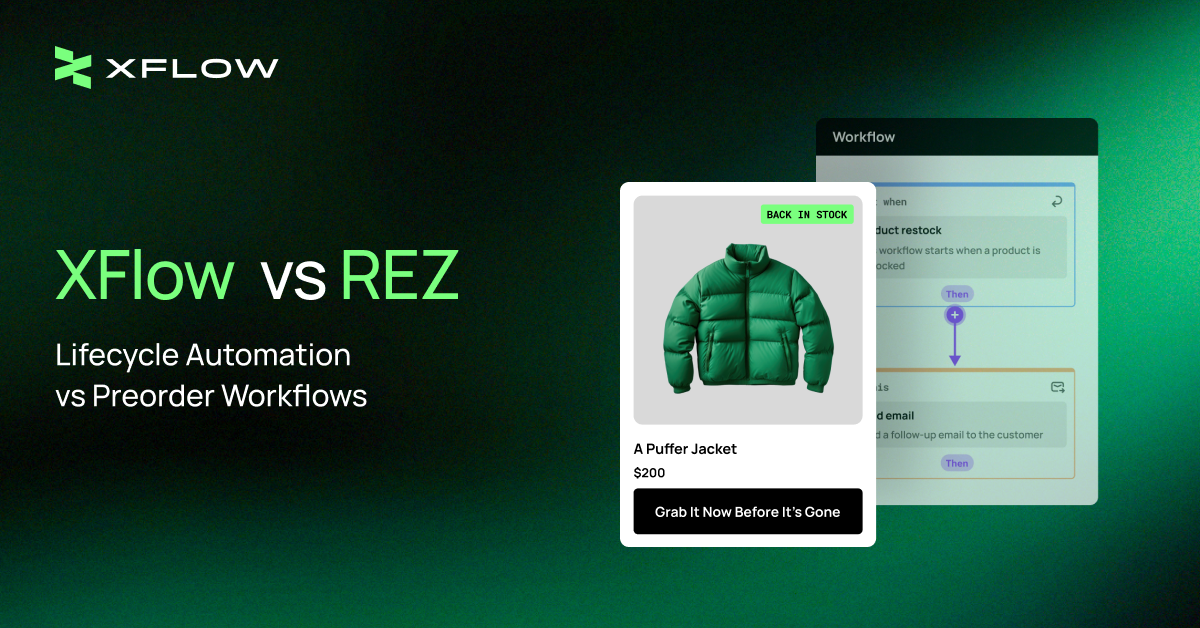
A closer look at XFlow vs REZ shows both apps chase that same back-in-stock outcome, but they get there differently, and that gap becomes clear once you look past the top-line pitch and into how each one actually operates:
XFlow is built around flexible customer journeys that extend beyond the initial restock alert, whereas REZ focuses on managing preorder demand and inventory updates.
The sections below break down where those differences matter most, from email customization and pricing to workflow automation and performance insights.
Their inventory cycle fit splits along similar lines: REZ handles early-stage demand, XFlow handles execution at scale.
Turn Every Restock Into A Customer Retention Opportunity
From branded email templates to multi-step workflows, XFlow helps merchants recover more revenue with less manual work.
Explore XFlowLet’s see how they differ in practice.
XFlow vs REZ Email Customization: Flexible back-in-stock email builder vs. Standard templates
XFlow vs REZ difference comes down to scope. XFlow treats back-in-stock recovery as part of a longer customer journey: Multi-step automation, behavior-based logic, and no ceiling on how many alerts go out.

Image source: XFlow Back in Stock Alert
REZ takes a narrower approach on one fixed workflow: Built primarily around preorders, running on one fixed workflow instead of several branching ones.

Image source: REZ Preorder, Back In Stock
That contrast starts with something as basic as sending the alert itself. Here’s how XFlow and REZ compare across the key areas that shape their use cases:
|
Evaluation area |
XFlow |
REZ |
|
Inventory recovery |
Recovers demand through restock alerts, segmentation, and re-engagement. |
Recovers demand through preorders and restock notifications. |
|
Workflow automation |
Automates personalized messages across the customer lifecycle. |
Automates preorder confirmations and inventory updates. |
|
Long-term scalability |
Scales into broader lifecycle marketing and retention automation. |
Standard preorder and restock needs. |
If you're still exploring different inventory notification solutions, you can also compare other leading apps in our guide to the best Shopify back-in-stock apps.
So, here’s the breakdown:
XFlow: Personalized email templates for different customer journeys
XFlow allows merchants to send unlimited back-in-stock email notifications. This gives growing stores more flexibility during:
- Product launches
- Seasonal restocks
- Viral demand spikes
- VIP notifications
Where thousands of subscribers may need to be notified at once.

If you’re just starting your very first back-in-stock email, XFlow’s ready-to-use email templates offer full brand customization and section-level editing inside the email template.

Image source: XFlow Email Editor
The built-in editor is designed to align with your brand guidelines, allowing you to easily match your store’s colors, typography, logo placement, and tone of voice.
Beyond design consistency, XFlow also helps merchants structure high-converting back-in-stock emails by guiding them through proven conversion elements such as:
- A clear product hero section
- Compelling restock announcement
- Urgency-driven messaging
- A strong primary CTA like “Buy Now” or “Shop Before It Sells Out.”
You can also enhance performance by adding secondary trust elements such as product video reviews, social touchpoints, ensuring each email is not just informative but optimized to drive immediate action.
Create Branded Back-In-Stock Emails In Minutes
Start with ready-made templates and personalize every detail to fit your brand through XFlow’s email editor.
Start WIth XFlowREZ: Standard Notify Me templates with essential customization
On the other hand, REZ’s email “notify me” editor is built around simple, rule-based setups.
The “notify me” feature is also highly customizable, allowing merchants to adjust how and when customers are prompted to subscribe for restock alerts. Its single standard template maintains a consistent look while still tailoring essential messaging and visual elements.

Image source: REZ Email Editor
XFlow vs. REZ Pricing: Recovered Revenue vs. Email Volume
Pricing is another point where XFlow vs REZ takes a different approach. XFlow ties its pricing to the revenue recovered through the app, so costs are connected to the value generated from inventory recovery.
REZ instead structures its plans around the type of workflow and email notification volume. This means the two models can affect how costs grow as your store's recovery activity increases.
REZ: Plan-based pricing tied to notification volume
REZ structures email sending around subscription plans and email volume limits. Its pricing is divided into two main tiers:
- One for preorder + notify workflows, which unlocks additional customer touchpoints across the buying journey.

Image source: REZ Pricing Calculator
- Another for notify-only usage, which allows a higher volume of email notifications.

As subscriber lists and notification volumes increase, merchants may need to upgrade to higher pricing tiers to continue reaching customers consistently.
XFlow: Revenue-based pricing that scales with recovery
From a pricing perspective, XFlow follows a revenue-based model, making it more aligned with store growth, and it is free for the first 5 orders generated through the app:
- Free — $0/month: First 5 free attributed orders
- Starter — $9/month: $1,000 recovered revenue from app
- Growth — $19/month: $3,000 recovered revenue from app
- Enterprise — $49/month: $10,000 recovered revenue from app

Image source: XFlow Pricing Plan
Merchants also get a built-in fee calculator and automated plan suggestions to help them choose the most cost-effective setup.
For example, you have never subscribed to a paid plan and currently on the Free plan with $2,500 revenue recorded. You upgrade from Free → Starter (first time ever, trial starts). Here’s how the pricing logic works in practice:
|
Stage |
What happens |
Revenue recorded |
Billing counter |
Charge |
|
Free plan |
Merchant has already generated $2,500 while using Free |
$2,500 |
Not billing |
$0 |
|
Upgrade to Starter |
Merchant upgrades for the first time and enters the 7-day trial |
$2,500 |
Not billing |
$0 |
|
During trial |
Store generates another $800 |
$3,300 total historical revenue |
Not billing |
$0 |
|
Trial ends |
Paid billing begins and the billing counter resets |
$3,300 historical |
$0 |
— |
|
First $1,000 after trial |
Merchant generates $1,000 in new revenue |
— |
$1,000 |
Included |
|
$1,001 after trial |
Merchant generates another $1 |
— |
$1,001 |
+$7 |
This structure ensures you only pay more when XFlow is actively contributing to additional recovered revenue, making it a performance-aligned pricing model rather than a fixed cost regardless of results.
👉 For a closer look at how XFlow's pricing and billing model works, see the XFlow pricing announcement.
For high-growth stores generating above $15,000 in app-attributed revenue, a custom pricing plan may be required to better match usage and scale.

Image source: XFlow Pricing Calculator
Unsure Which Pricing Plan Fits Your Store?
Use XFlow's pricing calculator to compare plans based on your monthly recovered revenue. No extra charges.
Calculate Your PricingXFlow vs. REZ Workflow Automation: Personalized Journeys or Fixed Inventory Flows?
The biggest difference between XFlow vs REZ appears in how much control merchants have over what happens after an inventory event:
XFlow allows merchants to build workflows around customer behavior, segments, and actions, while REZ keeps automation centered on its core preorder and Notify Me flows.
This makes the two apps suited to different levels of workflow complexity.
REZ: Preorder and Notify Me flows for inventory events
REZ keeps its automation focused primarily on preorder and notification management. This predefined approach is easier to manage without configuring more advanced automation.
Its system is typically limited to two core flows:
- Preorder Flow, which captures customer interest before products are available.
- Notify Me Flow, which alerts customers when items are back in stock.
This simplicity makes REZ straightforward to operate, but it offers less flexibility for merchants looking to expand beyond basic inventory-driven communication.

Image source: Rez Preorder Campaign Configuration
This simplicity makes REZ straightforward to operate, but it offers less flexibility for merchants looking to expand beyond basic inventory-driven communication.
XFlow: Behavior-based workflows for personalized customer journeys
On the other hand, XFlow enables merchants to build custom automation logic based on shopping behavior, customer segments, product interactions, and purchasing activity.
Instead of sending identical messages to every subscriber, merchants can personalize communication based on where customers are in the buying journey.
Let’s say you want to create a win-back campaign for inactive subscribers. In XFlow, you would start by setting a trigger such as “new customer sign up.” From there, you can add conditions like customer signup date or customer spending amount.

Image source: XFlow Workflow Automation
Based on these conditions, the workflow can branch into different paths:
- High-value customers might receive a personalized discount or early access offer.
- Low-engagement subscribers might receive a simple reminder showcasing best-selling products.

To make setup easier, XFlow also provides ready-to-use automation templates such as:
- Back-in-stock alert flow
- Browse abandonment recovery
- Welcome series
- Win-back campaigns
Merchants can start with these prebuilt workflows or fully customize their own flows using a visual builder, allowing them to combine triggers, conditions, and actions based on real customer behavior.

Image source: XFlow Workflow Templates
So, which app provides a more personalized back-in-stock experience?
From our testing, XFlow provides a more personalized back-in-stock experience compared to REZ due to the shopping journey workflow.
REZ focuses on delivering a streamlined inventory notification experience built around preorder and stock availability.
Turn A Single Restock Alert Into A Complete Customer Journey
With XFlow's visual automation builder, you can combine back-in-stock notifications with welcome emails, win-back campaigns, and the VIP subscribers.
Explore Workflow AutomationFor a closer look at how XFlow compares with another inventory-focused solution, you can also read our XFlow vs STOQ comparison.
XFlow vs. REZ Performance Insights: Customer Touchpoints or Inventory Funnels?
Both apps provide visibility into how inventory campaigns perform, but they measure that performance from different perspectives.
- XFlow connects reporting to customer journeys and workflow outcomes.
- REZ focuses on how demand progresses through its inventory conversion funnel.
The distinction helps explain which type of data each app prioritizes.
XFlow: Track revenue and engagement across customer workflows
XFlow goes beyond basic reporting by tying performance data directly to automated campaigns built through multiple workflows.
When merchants run campaigns using two connected flows, such as a back-in-stock flow combined with a post-notification engagement flow, they can clearly measure how each stage contributes to overall results.
This includes key insights like conversion rate, showing how many notified users actually complete a purchase, and engagement rate, which tracks how customers interact with emails across the workflow sequence.

Image source: XFlow Campaign Performance
In addition, XFlow provides visibility into total revenue generated from workflows, helping merchants understand the direct financial impact of their automation.
Stores can also track total subscribers captured across campaigns, giving a clear picture of demand being built over time.
REZ: Track demand through the inventory Conversion Funnel
REZ, on the other hand, takes a more structured approach by clearly mapping the entire conversion funnel within its system.

Image source: REZ Conversion Funnels
This gives merchants a straightforward view of how demand moves through each stage of the buying process. While it focuses less on multi-layered automation, it helps brands understand funnel progression in a simplified, inventory-first format.
Turn Reporting Into Smarter Automation With XFlow
Identify which workflows recover the most revenue and optimize future inventory campaigns with confidence.
Try XFlow NowXFlow vs REZ: Which Inventory Cycle Does Each App Support Best?
Different inventory cycles create different customer expectations, and the most effective automation depends on how shoppers behave during each stage.
This is why choosing between XFlow vs REZ should start with understanding your inventory workflow rather than comparing features alone.
Baymard found that 30% of users are likely to abandon a product when it is simply marked out of stock. It also found that 68% of sites do not let shoppers order temporarily unavailable products.
For example, Adidas maintains an official release-date calendar for upcoming shoe and apparel launches.

Image source: Adidas
The calendar creates anticipation and improves launch timing, while the email or preorder form captures customer intent and gives the brand a measurable audience.
Adidas demonstrates this approach through its official release-date calendar, which builds anticipation around upcoming shoe and apparel launches. Adidas also uses CONFIRMED for exclusive releases, giving members notifications and access to limited drops.
For products that are already sold out, back-in-stock automation serves a similar purpose. Customers can register their interest and receive a direct notification when inventory returns.
Klaviyo’s Balance Me case study reported a 69% open rate and 4.9% conversion rate for back-in-stock emails.
These behavioral shifts can be mapped to specific inventory situations, helping clarify when XFlow or REZ is the better fit.
|
Inventory situation |
Better fit |
Relevant features |
|
Preorder campaigns |
REZ |
Supports preorders, deposits or early commitments, and preorder demand tracking. |
|
Limited-edition drops |
XFlow |
Enables launch-time email alerts, segmented campaigns, urgency-focused workflows, and rapid follow-up when stock sells out. |
|
High-demand products with waitlists |
REZ |
Helps collect customer interest through waitlists and notify shoppers when products become available. |
|
Seasonal restocks |
XFlow |
Supports scheduled restock campaigns, targeted customer segments, and automated reminders around seasonal demand. |
|
VIP or customer-segmented restock alerts |
XFlow |
Allows personalized notifications for VIPs, previous buyers, subscribers, or customers interested in specific products. |
|
Restock alerts through automated email workflows |
XFlow |
Automates back-in-stock emails, customer segmentation, follow-ups, and performance tracking. |
|
Upcoming product launches |
REZ |
Supports coming-soon notifications, waitlists, preorders, launch interest collection, and demand forecasting. |
|
Back-in-stock campaigns across multiple products |
XFlow |
Helps manage global restock campaigns, automate alerts across a large catalog, and track recovered sales. |
Overall, REZ is the stronger choice for preorders, upcoming launches, and waitlist-driven campaigns, where customers are willing to commit or wait for future availability.
XFlow is better suited to ongoing restock automation, including seasonal replenishment, segmented alerts, and back-in-stock campaigns across multiple products.
Build Automation That Adapts To Every Inventory Cycle
From seasonal restocks and limited-edition drops to VIP notifications and multi-product campaigns, XFlow provides ready-to-use workflows that grow with your inventory strategy.
Build With XFlowFAQs About XFlow vs REZ
1. Will XFlow or REZ affect my Shopify store's performance?
Both XFlow and REZ are built to integrate with Shopify.
Their automation and inventory logic run in the background, so customers can continue browsing and checking out without noticeable performance issues.
As with any Shopify app, merchants should regularly review installed apps to avoid unnecessary feature overlap.
Both XFlow and REZ are built to integrate with Shopify without slowing down your storefront. However, performance issues are most likely to occur when a store has an unoptimized theme with heavy third-party code.
In such cases, merchants can improve speed by auditing and removing unused apps to keep the storefront lightweight.
2. Can XFlow and REZ work alongside other Shopify marketing apps?
Yes. Both apps can be used with many Shopify marketing tools, but XFlow vs REZ differs in how they extend those integrations.
XFlow is designed to complement broader marketing automation by connecting inventory events with customer lifecycle workflows, making it easier to coordinate back-in-stock notifications with post-purchase, win-back, or customer segmentation campaigns.
REZ primarily focuses on preorder and inventory availability, making it a good fit for stores looking for a dedicated preorder and notification solution.
3. Can XFlow or REZ support international Shopify stores?
Yes. Both apps can support international Shopify stores as long as your Shopify setup serves customers across multiple regions.
XFlow's customizable email templates and automation workflows make it easier to tailor messaging for different customer segments, while REZ provides flexible preorder and restock notifications that work for merchants selling to global audiences.
Your localization strategy, such as language, currency, and shipping options, will still be managed through Shopify and any localization apps you use.
4. Do I need coding knowledge to use either app?
No. Both XFlow vs REZ back in stock solutions are designed for merchants without technical experience.
However, XFlow provides a visual workflow builder with more advanced customization options, while REZ keeps setup simpler with predefined preorder and inventory notification, mostly content and design configuration.
